Overview
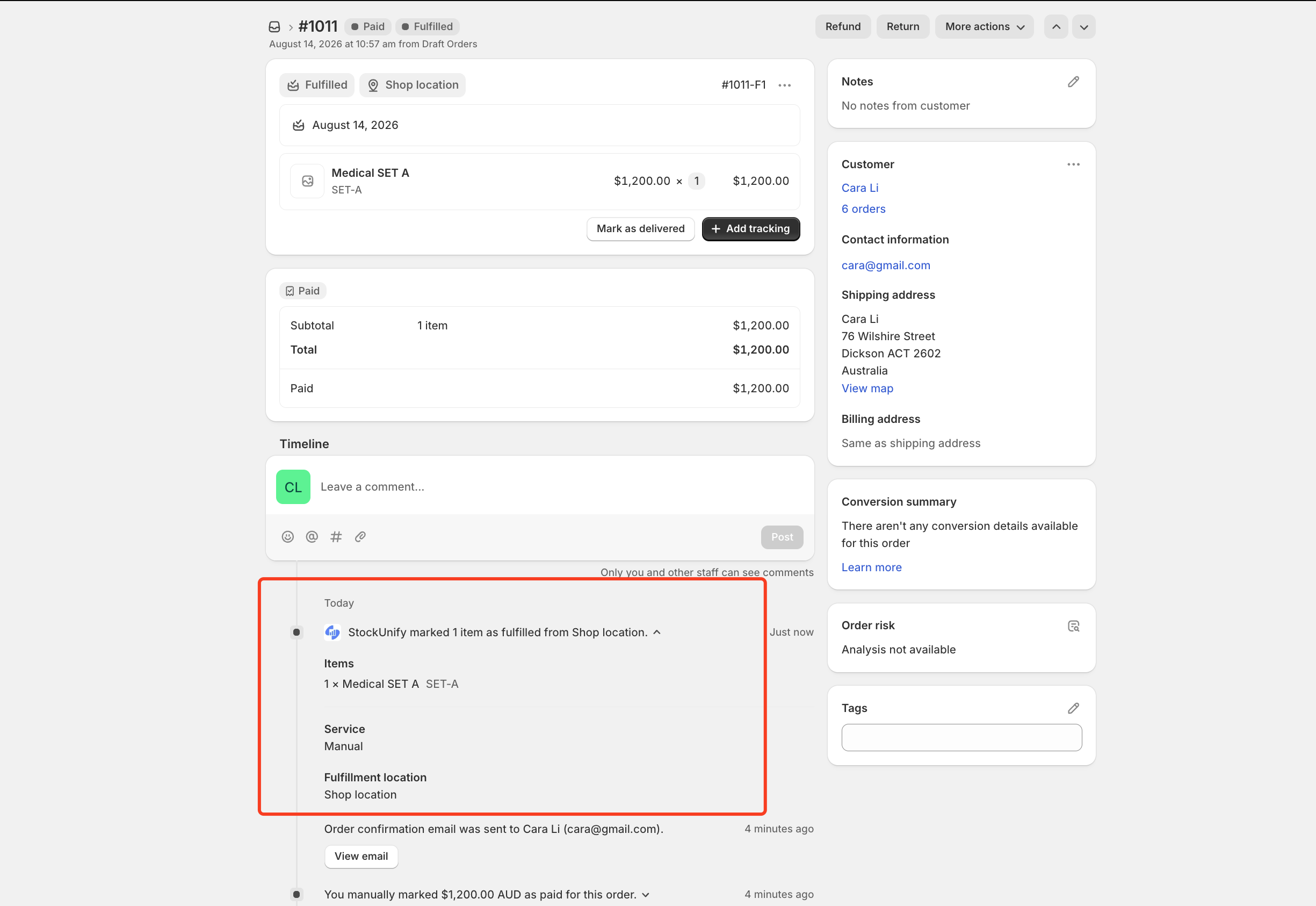
Product packages (kits/bundles) are products in StockUnify made up of multiple component products. A package syncs to your Shopify store as a single sellable product, and when it's ordered on Shopify, StockUnify automatically expands it back into its component products and deducts stock from those components — giving you an efficient way to sell bundles without manually tracking component stock yourself.
Note: package products must be created in StockUnify and synced to Shopify before they can be sold.
Create a product package in StockUnify
If Sync products to Shopify is on, adding a new product package or editing an existing one in StockUnify triggers a sync to Shopify.
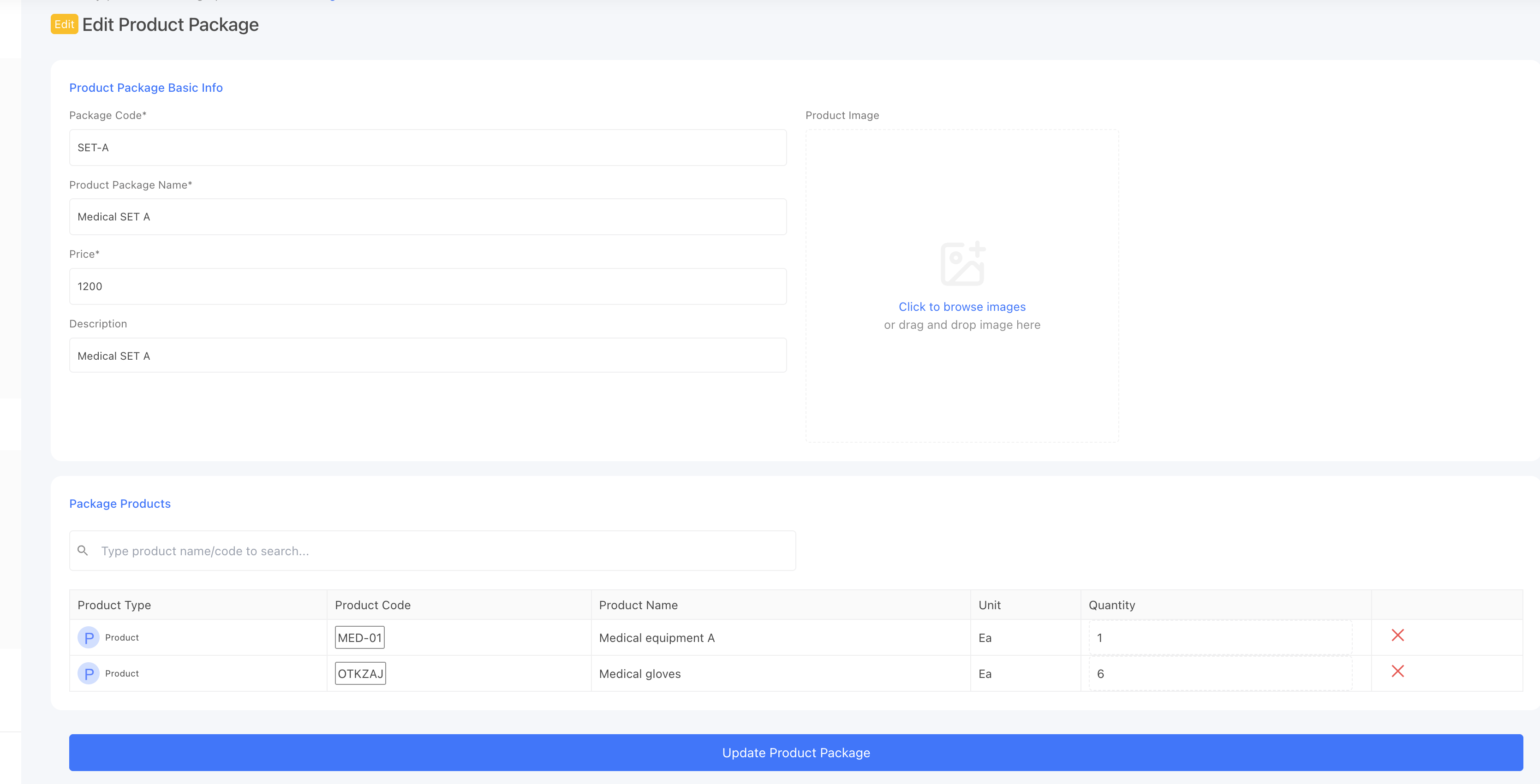
The package syncs to Shopify as a single product — its name, SKU, price are sent across, the same way as any other product.
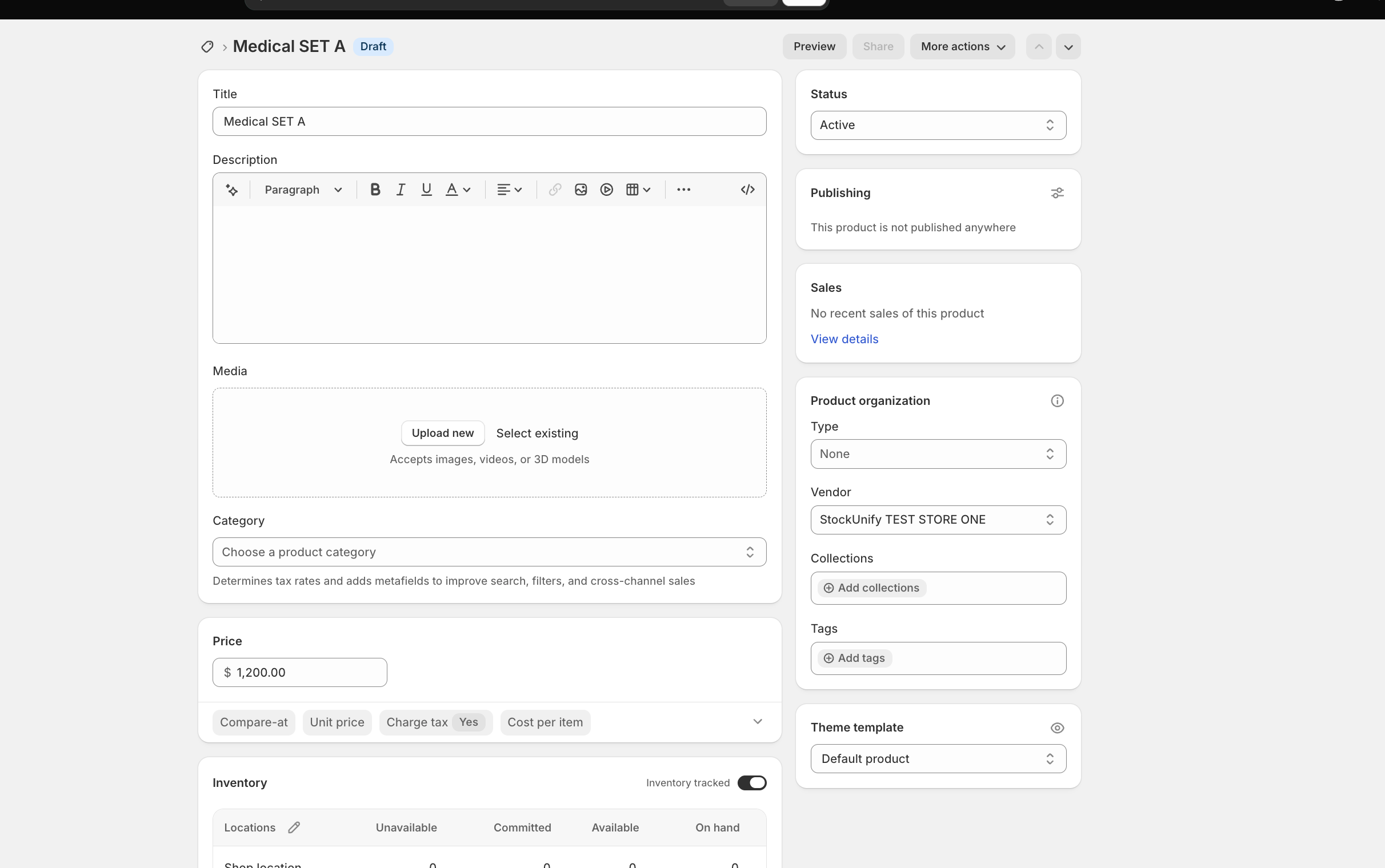
The package must be created and synced from StockUnify before it can appear correctly in a Shopify order — if it's ordered on Shopify before ever being synced, StockUnify won't recognize it as a package when the order comes in.
How an order containing a package syncs back
When a Shopify order includes a package product.
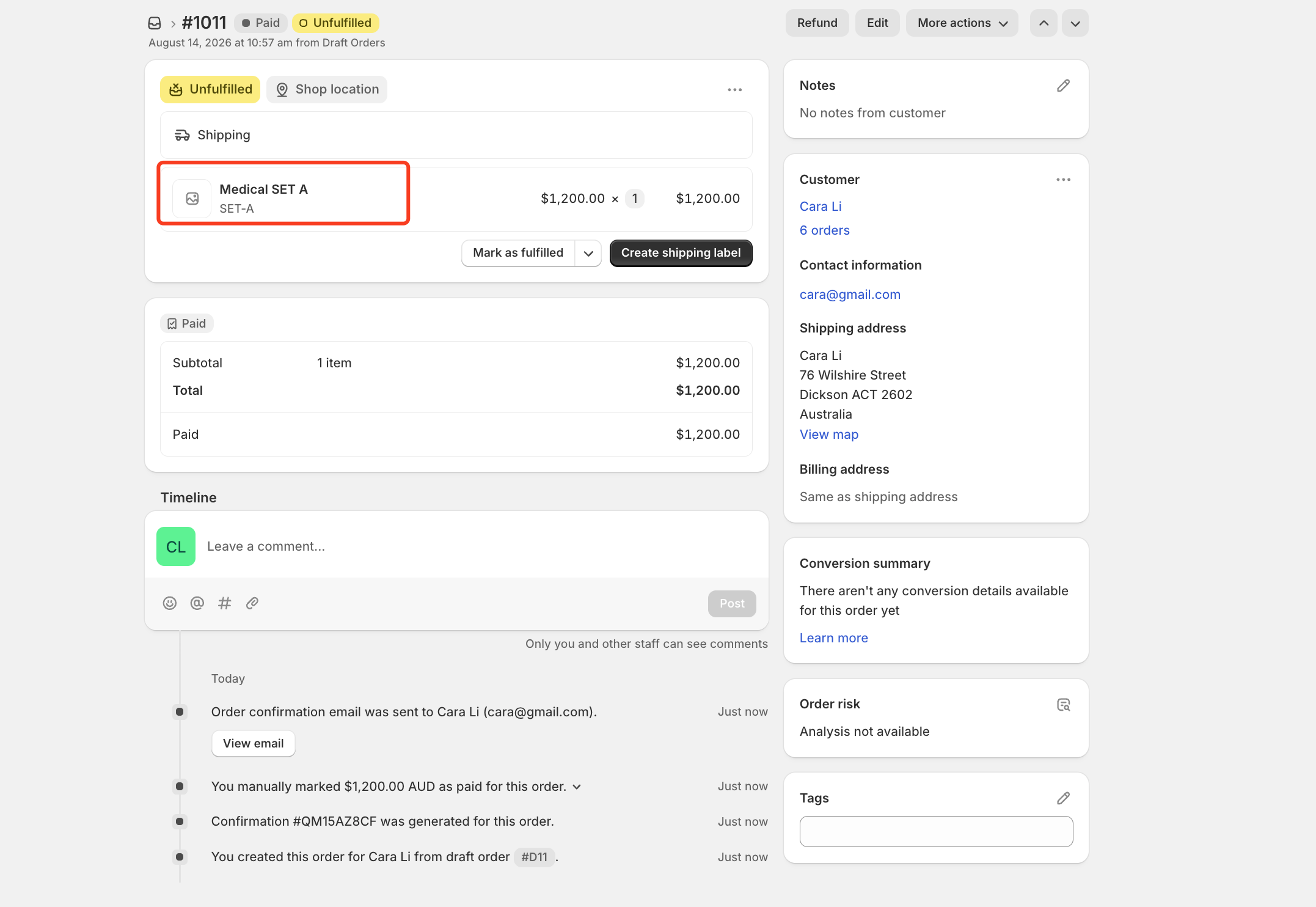
StockUnify recognizes it via the existing mapping and automatically expands it on the imported sales order:
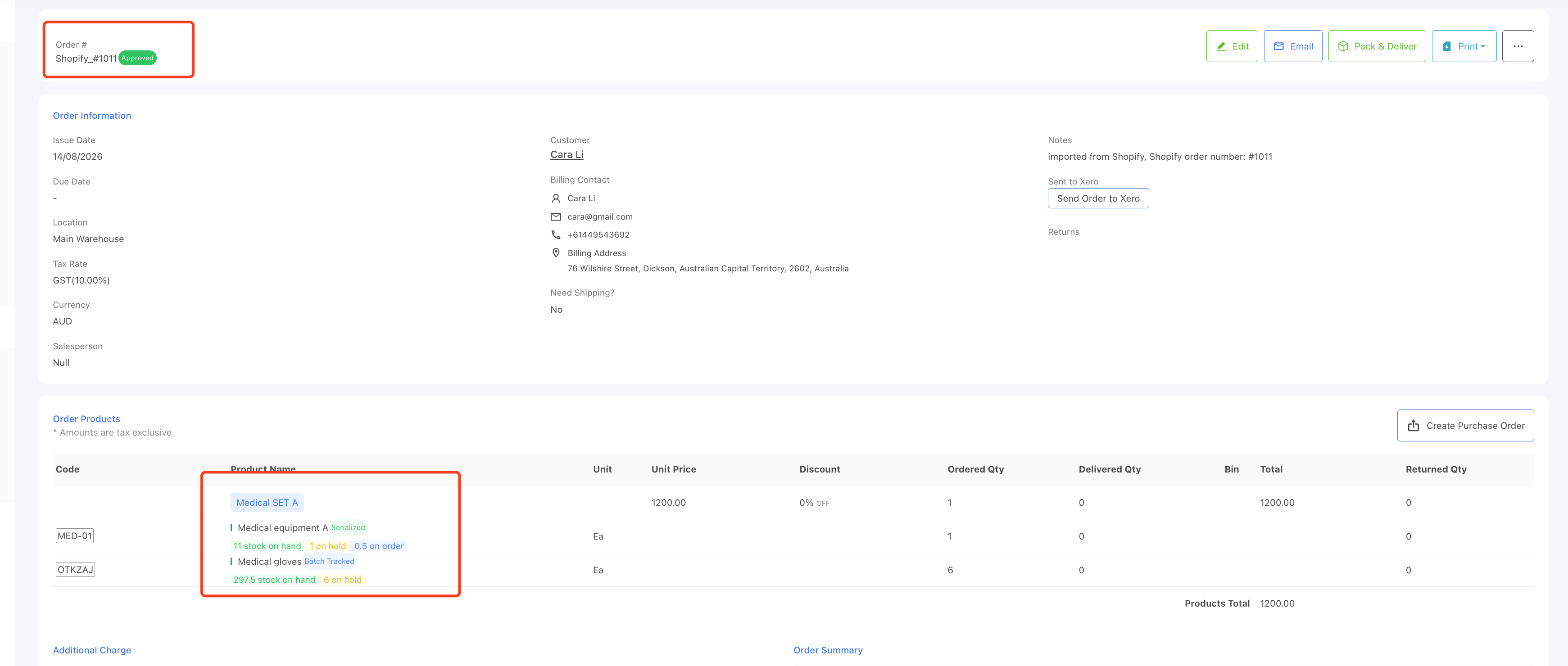
Stock impact
Packages don't hold their own stock — stock is tracked at the component level. So when the order is Approved (and stock is held) or Delivered (and stock is deducted), it's the component products' stock that changes, in the quantities expanded above — not the package "product" itself.
Fulfillment
When the order is delivered in StockUnify, the fulfillment pushed back to Shopify is recorded against the package's own SKU — matching the single line item Shopify actually has on the order — rather than being split into a separate fulfillment per component.
You'll see this reflected as a fulfillment update on the order's page in Shopify.