Overview
When the Shopify store is connected with StockUnify, sales orders flow automatically from Shopify into StockUnify and stay in sync as they change.
The integration is one-directional for order creation: Shopify orders create StockUnify sales orders, but creating a sales order in StockUnify does not create a Shopify order.
Fulfillment status flows in the opposite direction — from StockUnify to Shopify.
Which Shopify orders get imported
Whether an order is imported, which location and tax rate it uses, whether it's saved as Approved, and how its order number is generated are all controlled by your store's order settings. For more details about how to configure order settings, please visit Shopy sales order sync settings
How order sync works
Order sync is driven by Shopify webhooks (order created, updated, paid, partially fulfilled, fulfilled). Update this order in Shopify will also sync to StockUnify, and StockUnify update the sales order correspondingly.
Matching order line items to products
Each Shopify order line is resolved to a StockUnify product using the same SKU mapping built during product import:
- If the line's Shopify variant is already mapped to a StockUnify product, that product is used.
- If it's not yet mapped but the line has a SKU, If StockUnify has the SKU, then creates the mapping of the product for future orders.
- If line has a SKU, If StockUnify hasnit record the SKU, then a new product will be created in StockUnify.
- If the line has no SKU at all, the line item will be added to the sales order as an additional charge instead.
- If the SKU mapped to a package product in StockUnify, then the package product automatically expanded into their component products on the StockUnify order.
- Shopify shipping fees are also added to the order as an additional charge.
Editing/cancel orders in Shopify
If the sales order in StockUnify has not been delivered, any update from Shopify will be updated in StockUnify, such as the line items quantity, order locations.
Once an order has been partially delivered or fully delivered, its location can no longer be changed by sync.
If an order is cancelled in Shopify, and the corresponding StockUnify sales order has no delivered qty, the sales order will be marked Deleted, and any stock that was being held for it (if it was Approved) is released. An order that has already been delivered cannot be cancelled this way — you'll need to handle it manually in StockUnify.
Order fulfillment
Fulfillment is synced in one direction: from StockUnify to Shopify.
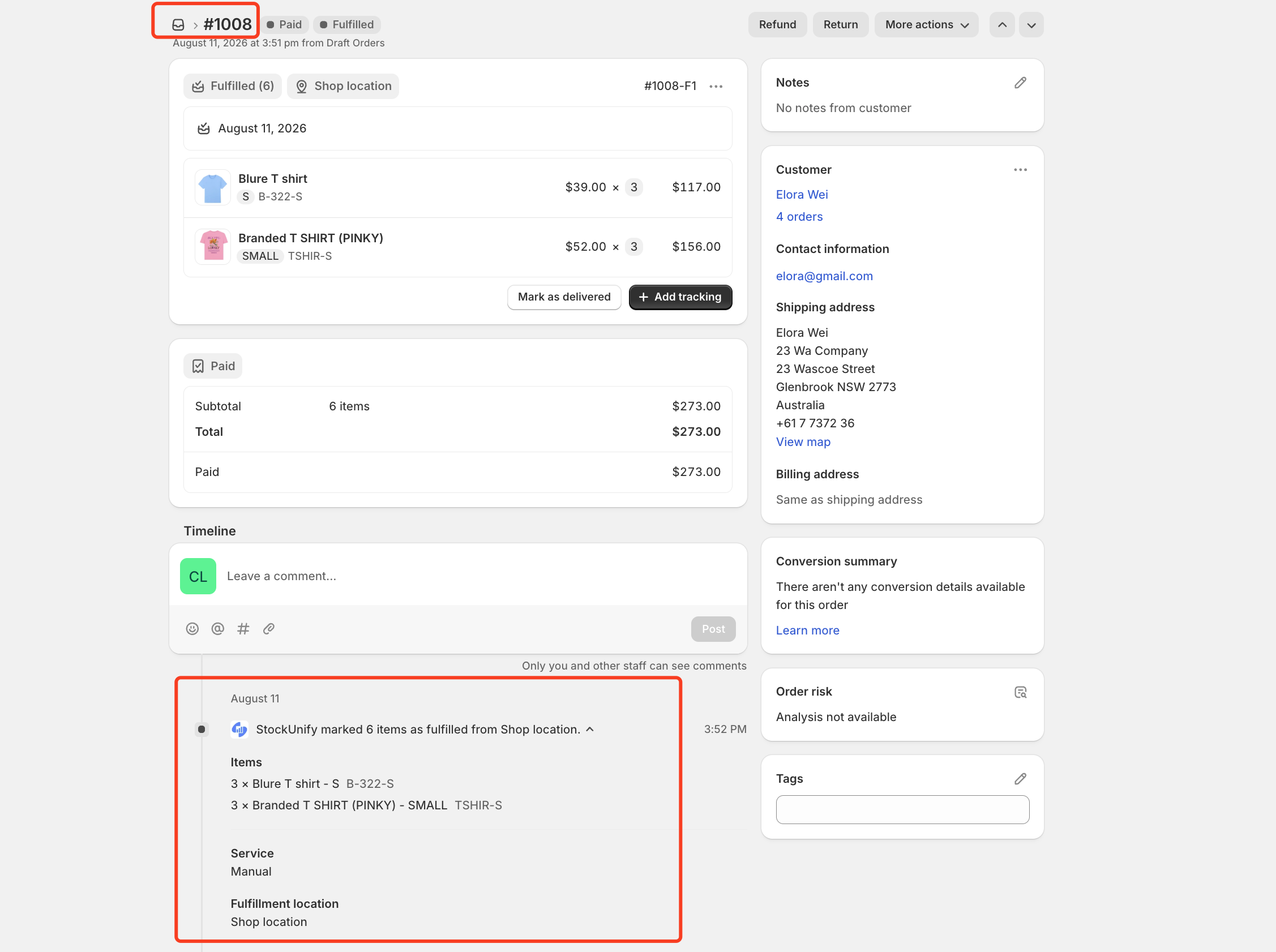
When a sales order is delivered or partially delivered in StockUnify, the delivered products are matched back to Shopify's still-open fulfillment order line items by SKU, and a corresponding fulfillment is created on Shopify.
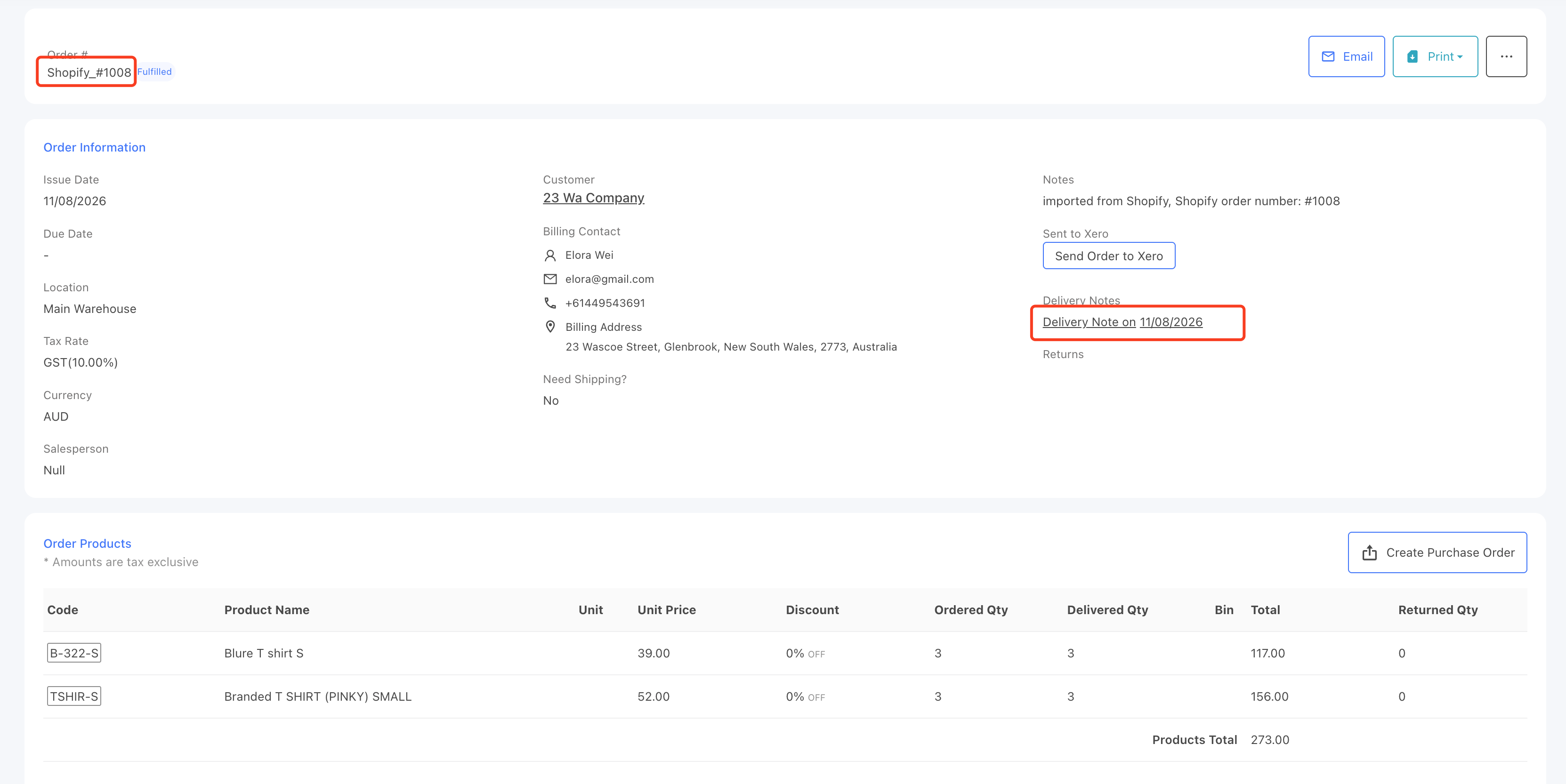
You will see an order fulfillment notification from your order Shopify page.
Next...
Learn how StockUnify product packages (bundles) work with Shopify