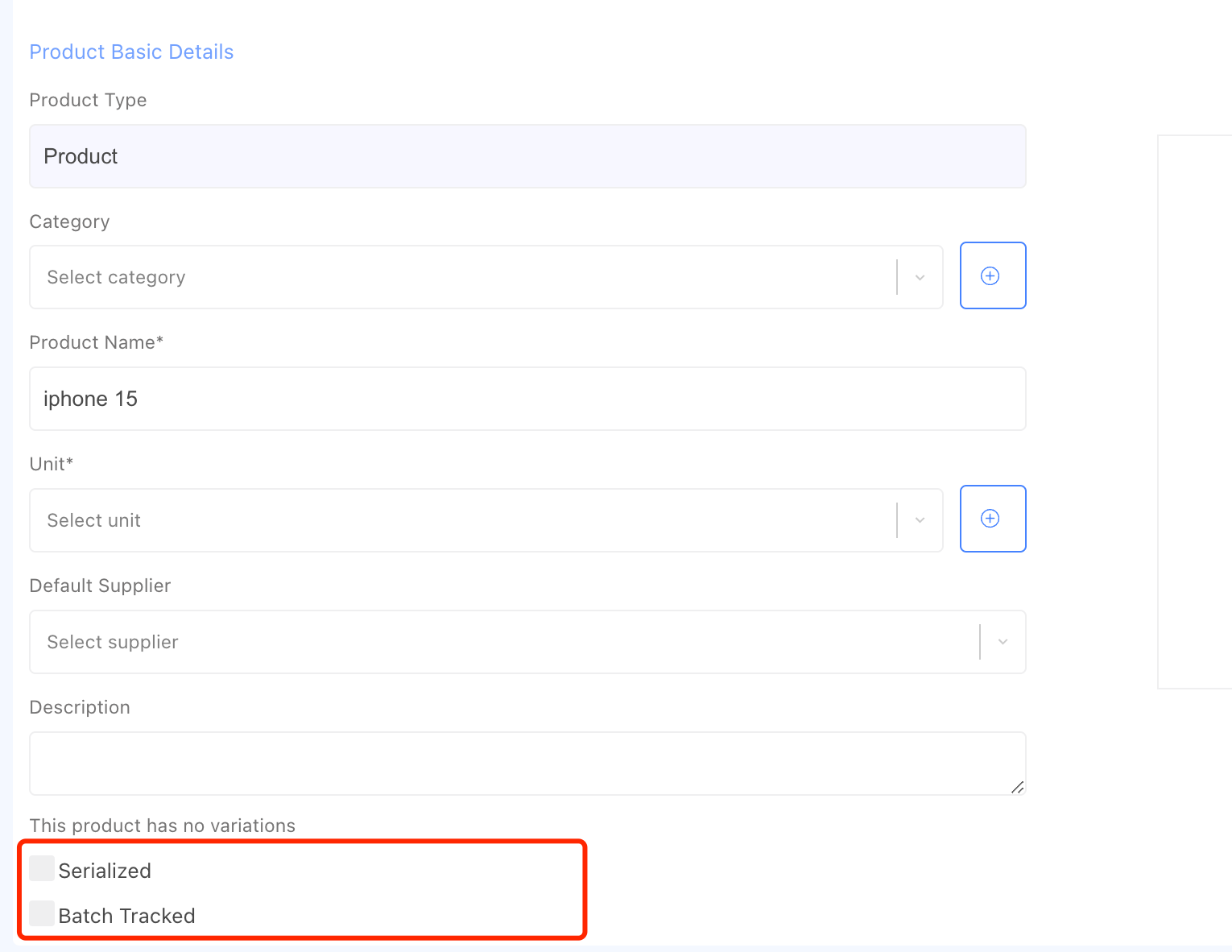
First, enable the serialized or batch-tracked option to manage serial numbers or batch numbers for a product. Then, when you create or edit a product, tick the option and save it.
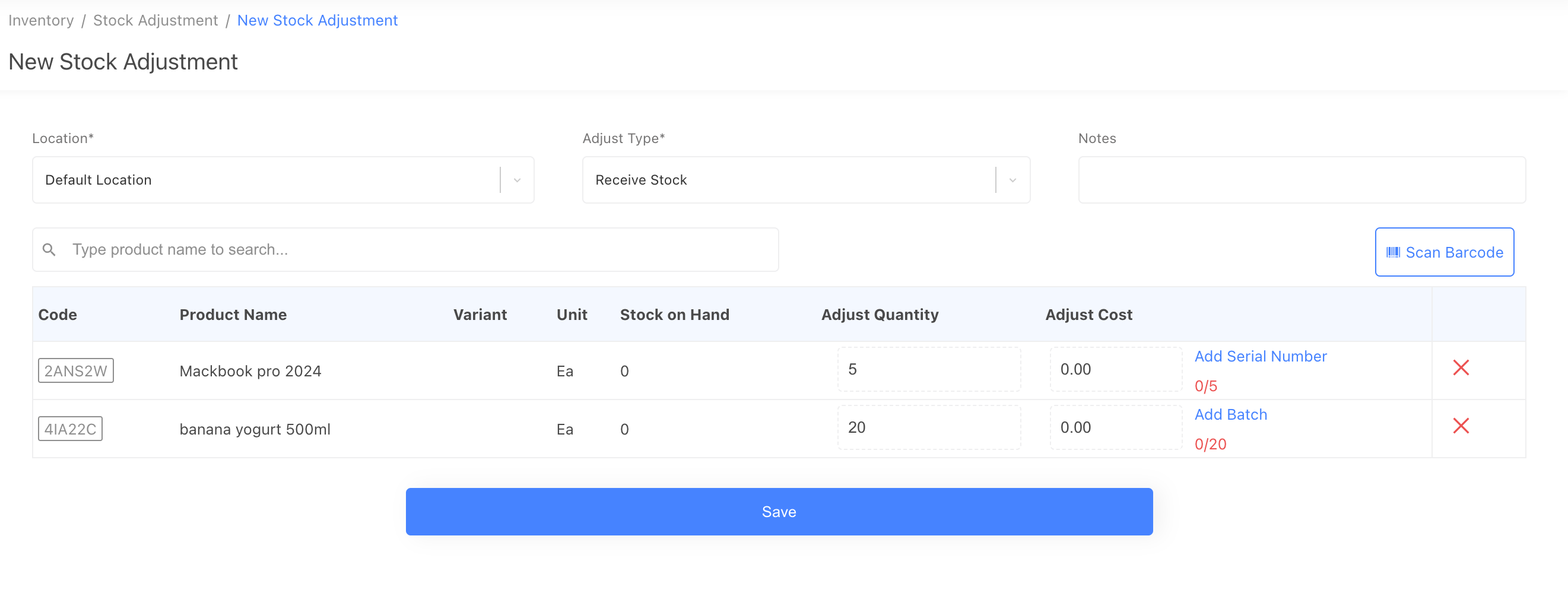
1. Add serial or batch numbers when receiving stock.
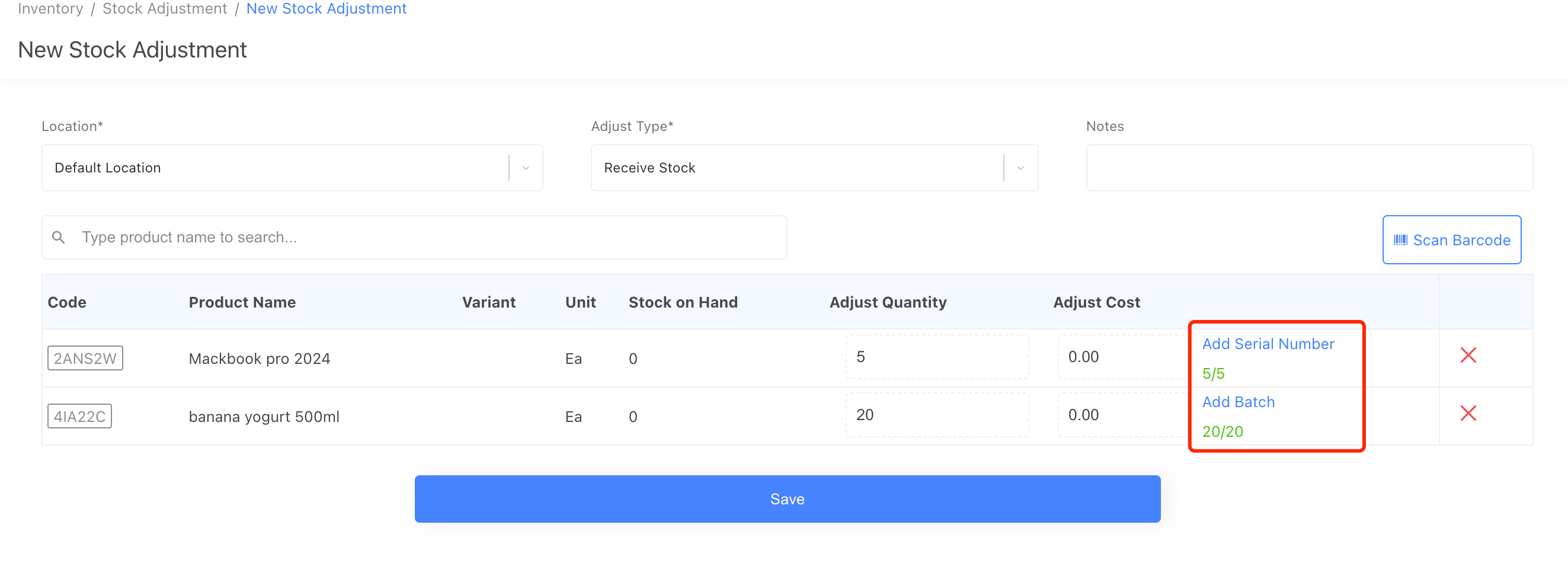
When you receive stock from a stock adjustment or purchase order, if the product is batch-tracked or serialized, you will be asked to enter the numbers; without entering the numbers, you can not receive stock for a batch-tracked or serialized product.
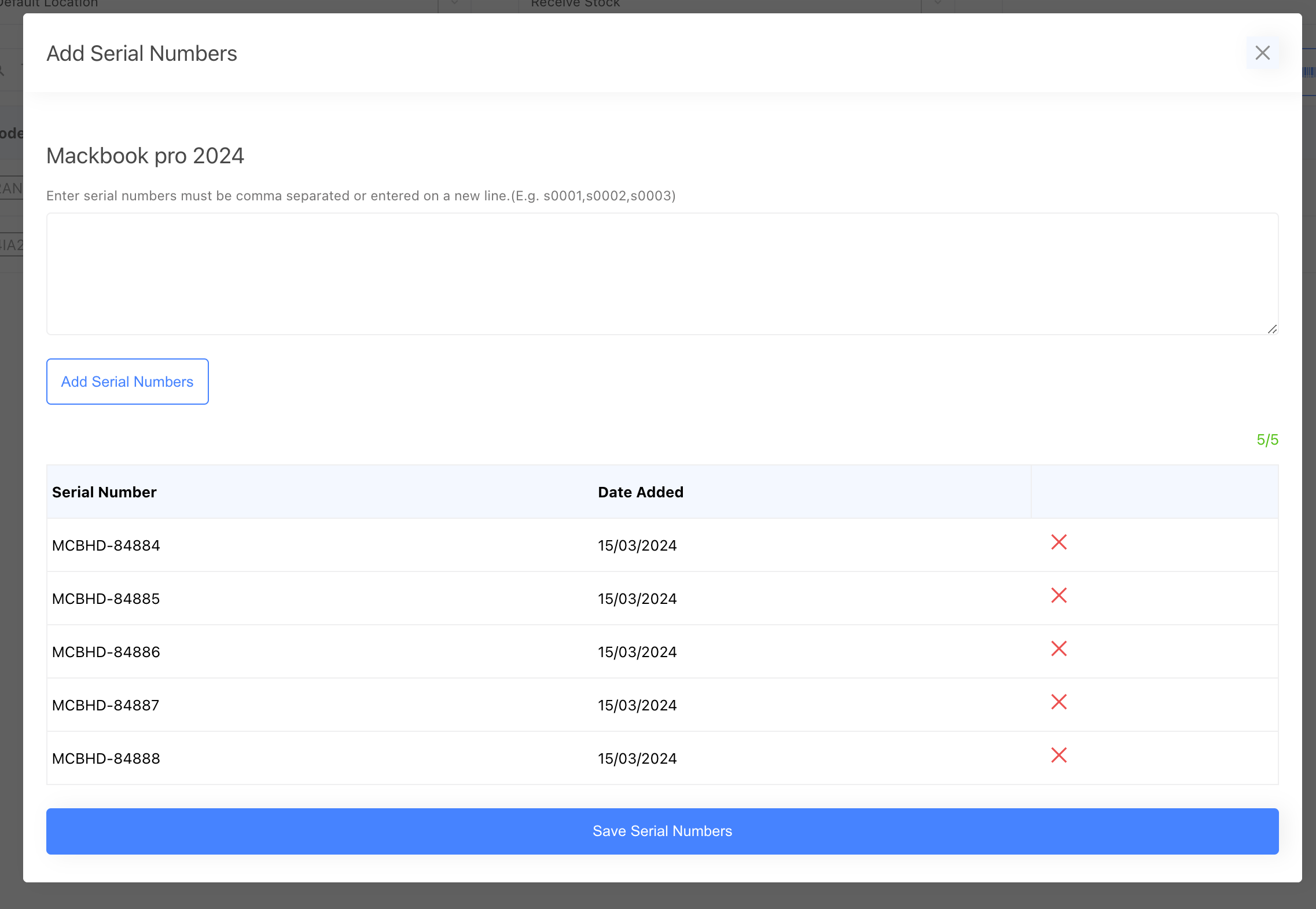
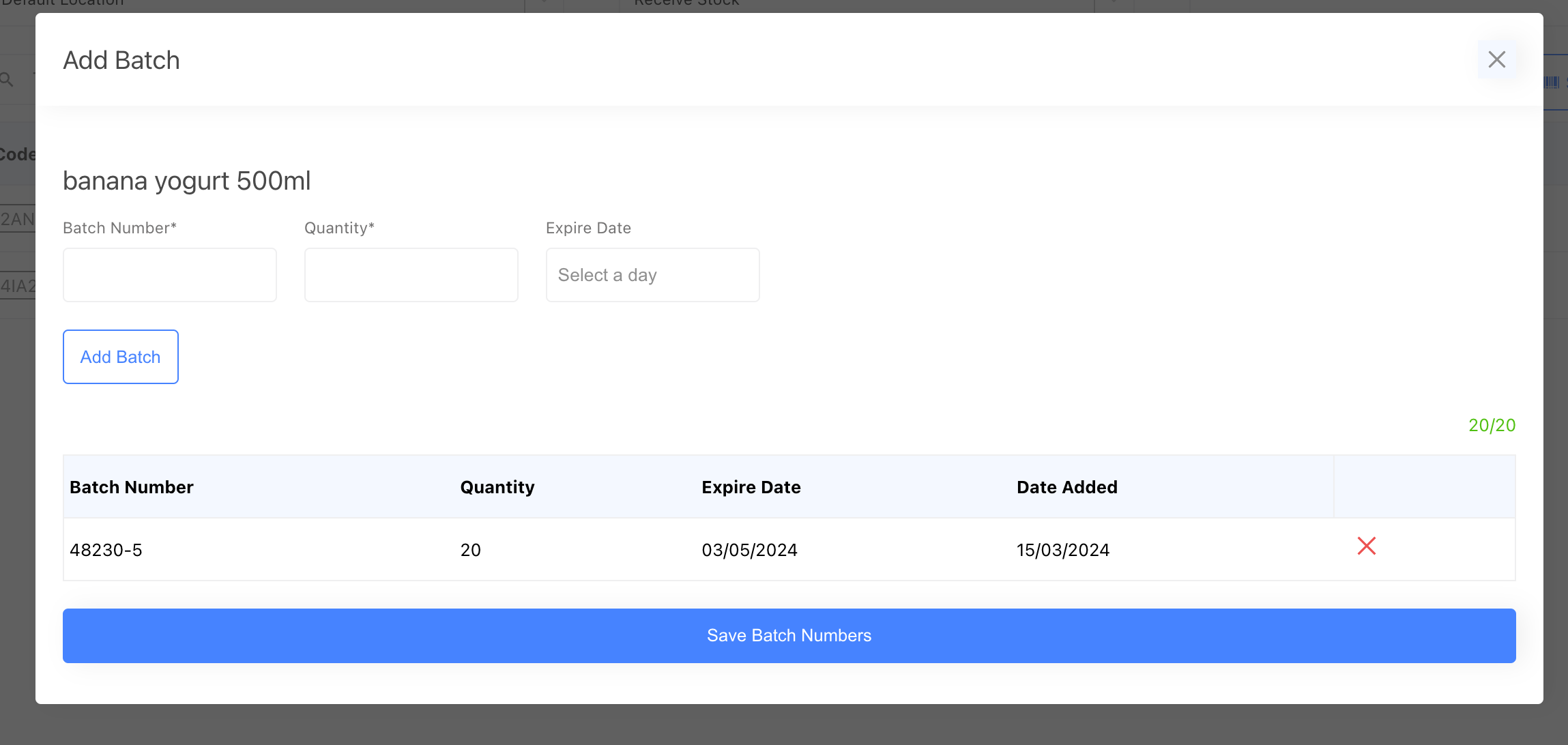
After you enter the required numbers, you can save it.
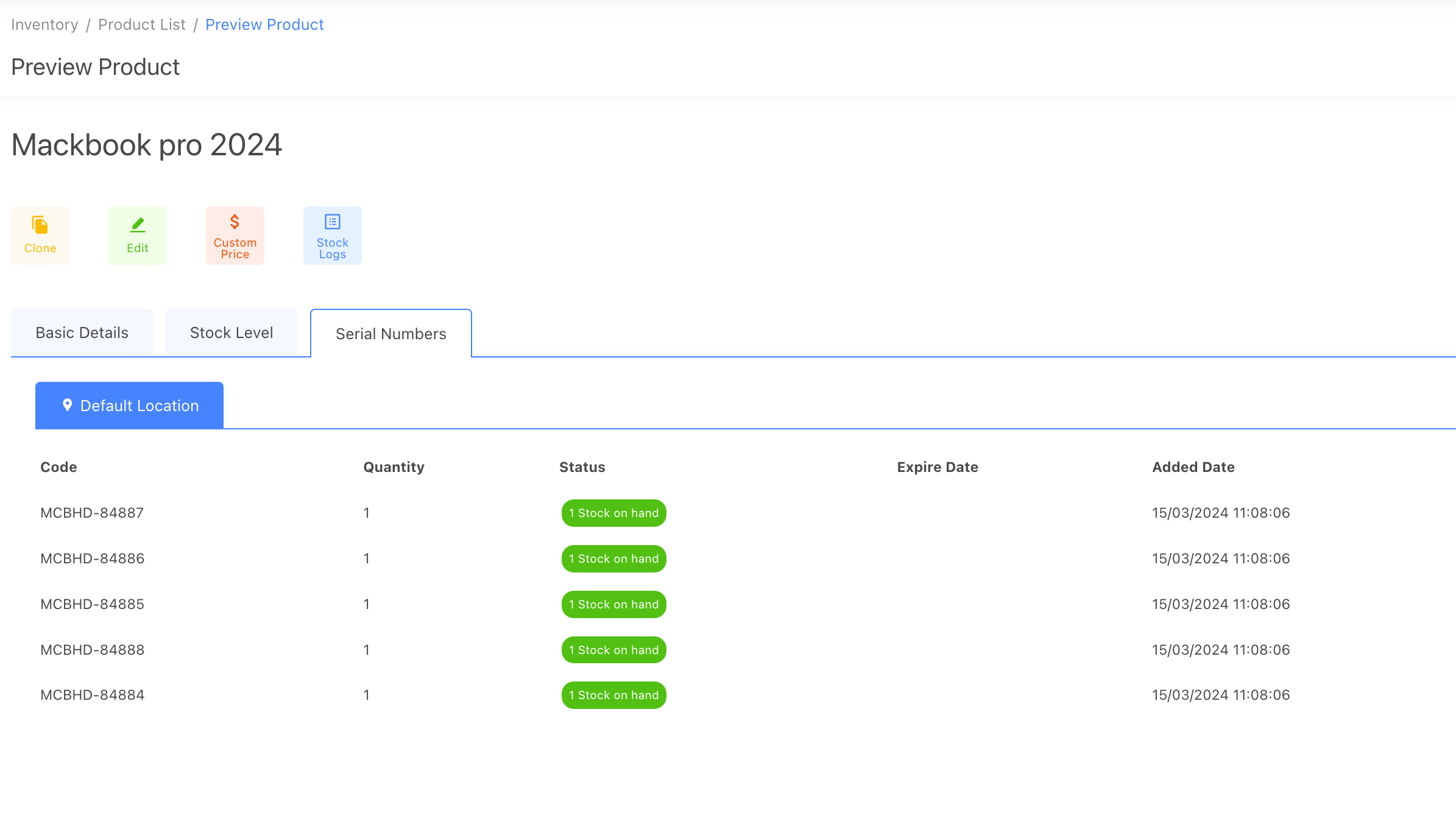
After you save it, you can see the number from the product preview page.
2. Consume serial or batch numbers.
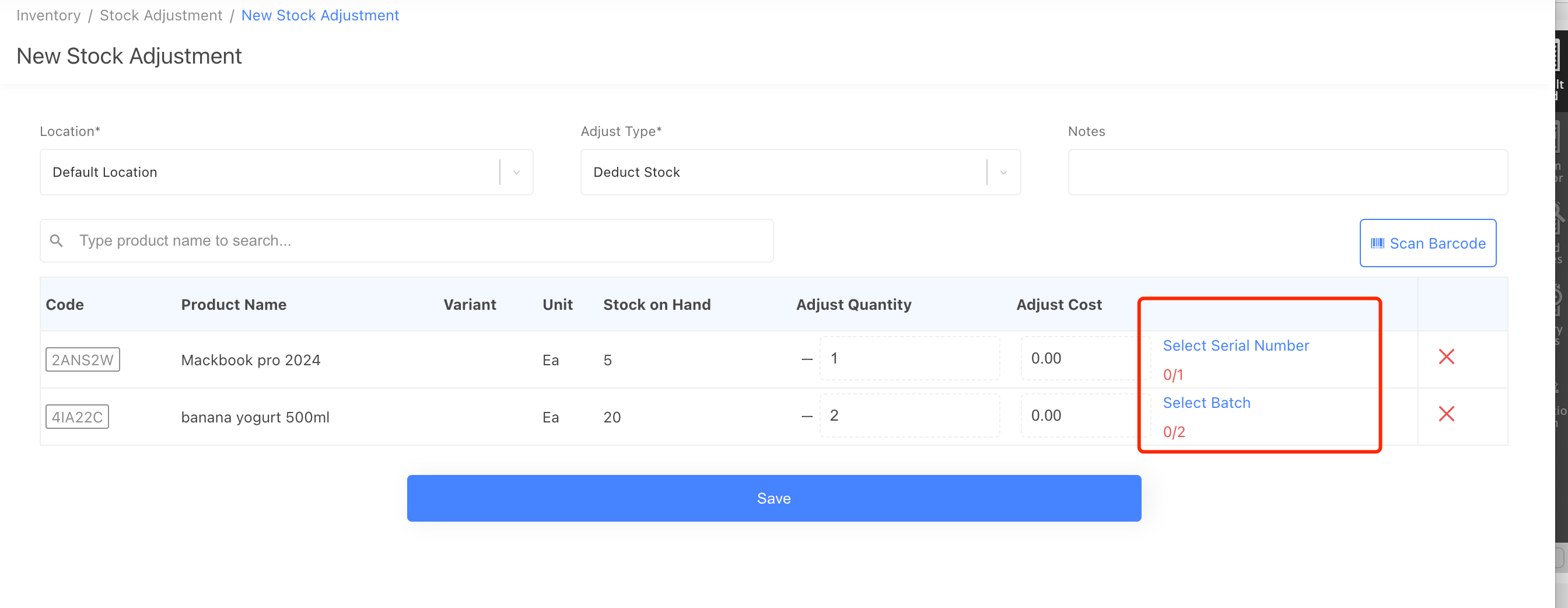
When you deduct stock from a stock adjustment order or create a sale order for a batch-tracked or serialized product, it will ask you to select the numbers; without them, you can not save the order.
After you select the required numbers, you can save the order.
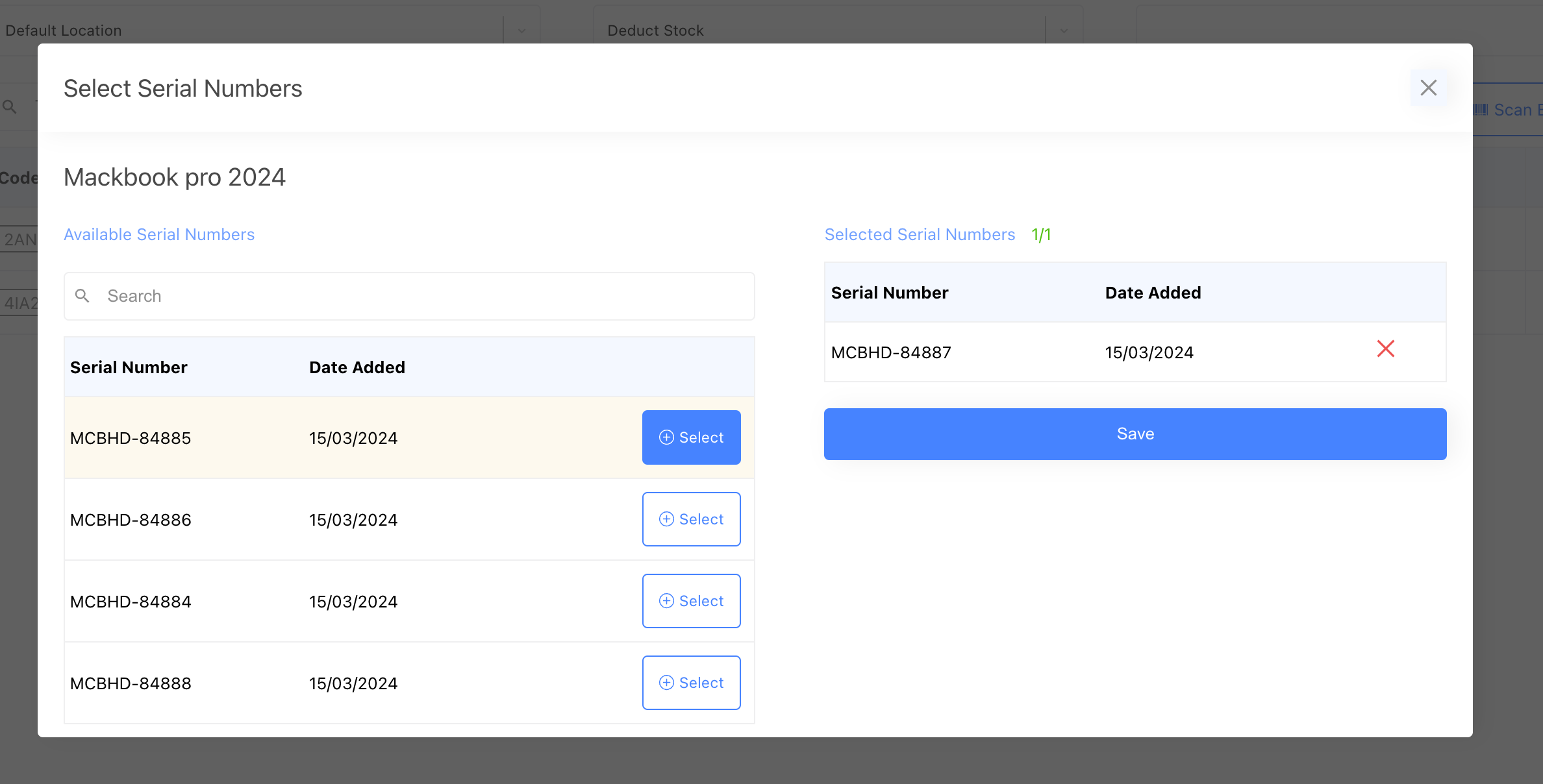
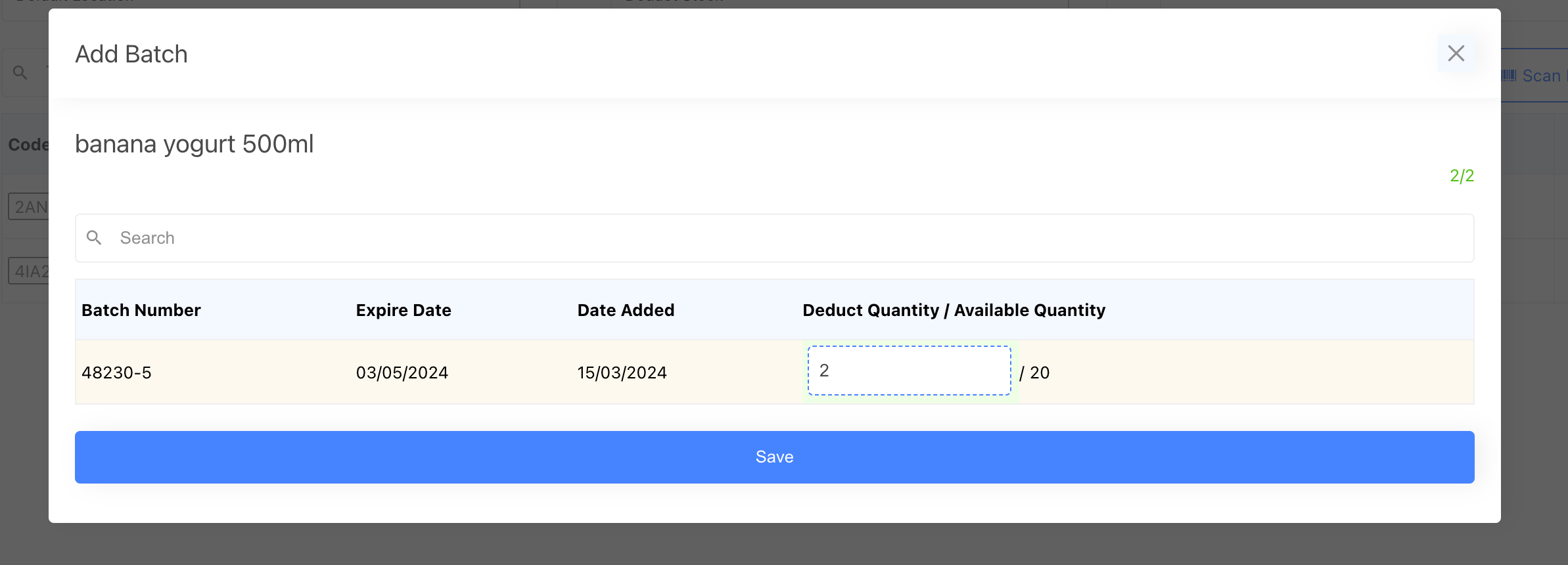
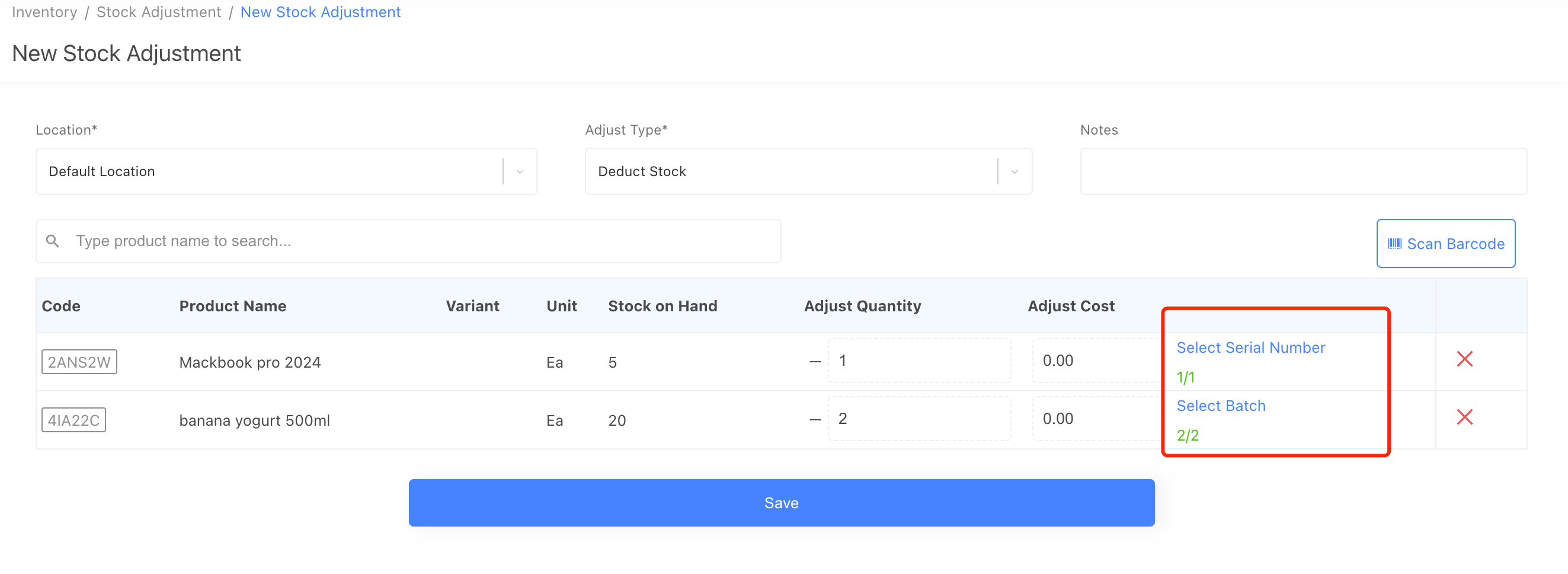
Now, if you go to the product preview page, you will see the available numbers changed.
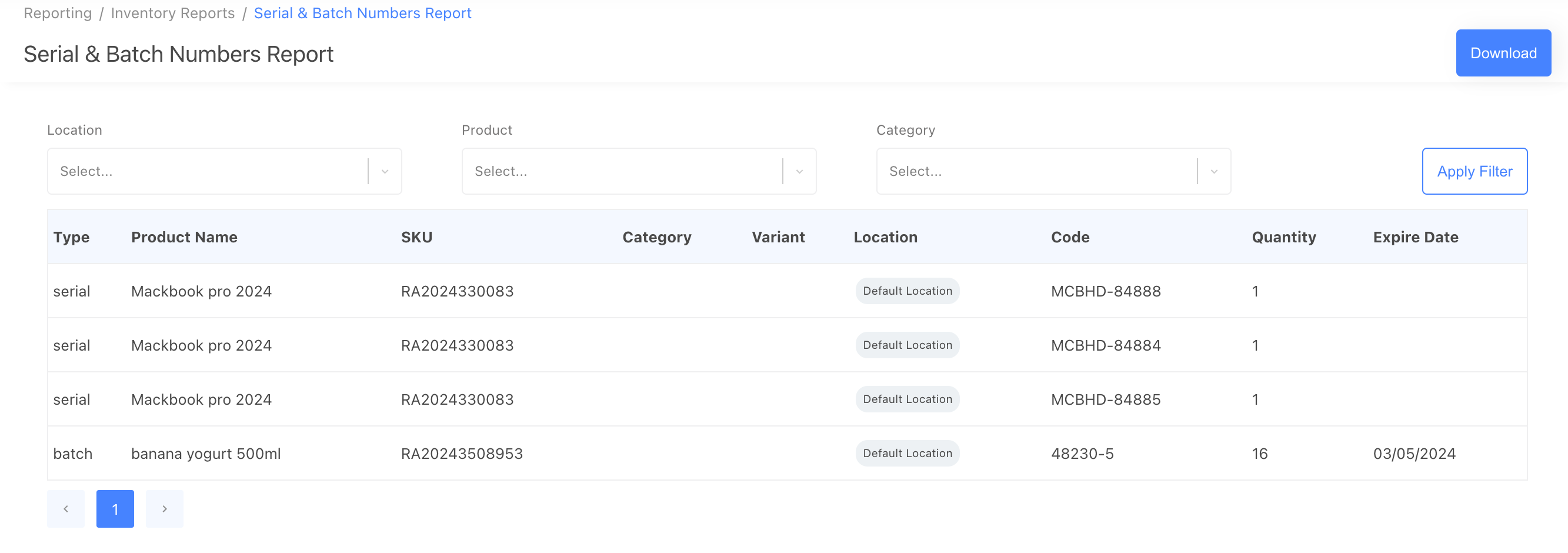
3. Serial and batch numbers report
We provide a serial and batch numbers report to tell you all the serial and batch numbers for stock on hand products.